Rail
Deutsche Bahn Anzeigencenter
A digital platform for drafting, reviewing, approving and sending formal project notices.
- Client
- Deutsche Bahn
- Industry
- Rail
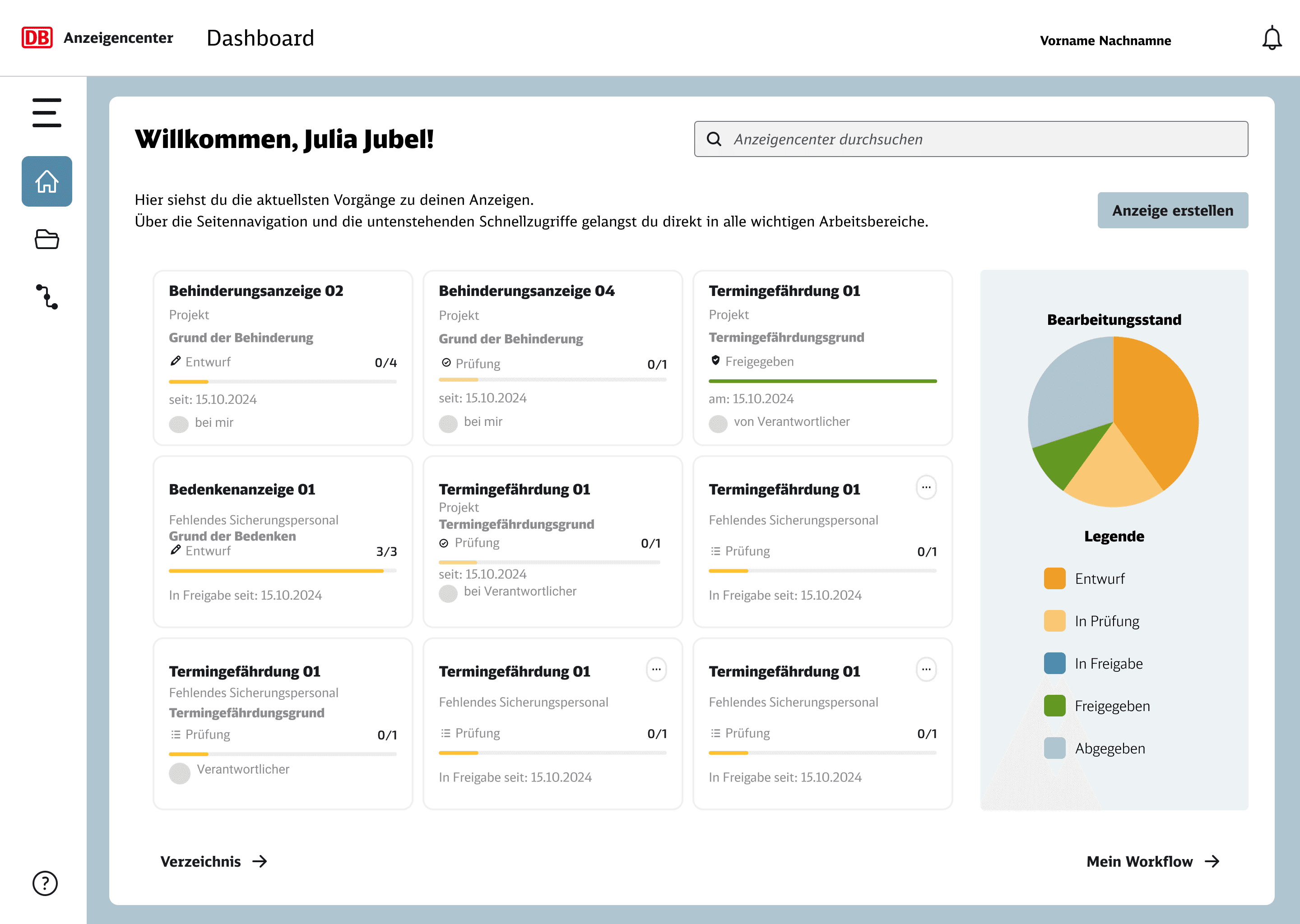
Overview
The Anzeigencenter is a web application for three types of formal notices in Deutsche Bahn projects: notices of obstruction, notices of concern and notices of schedule risk.
Every notice belongs to one project, has one type and one status, and moves through a defined lifecycle from draft to dispatch. The application is designed and operated entirely in German.
Before
Notices were prepared as PDF documents and signed by hand before they were sent to the client.
With the Anzeigencenter
Each notice type has a guided, multi-step form, an optional review and a binding electronic approval that replaces the handwritten signature. Every review and approval is recorded with name, role and timestamp, and the approved notice is exported as a PDF that includes this verification.
Three notice types, one drafting pattern
Notice of obstruction
Behinderungsanzeige
A hindrance or delay caused by circumstances outside the sender’s own control. Four sections: master data, contract scope, the obstruction, and measures to limit the damage.
Notice of concern
Bedenkenanzeige
A formal objection to instructed works or specifications. Three sections: master data, contract scope and the concern.
Notice of schedule risk
Termingefährdungsanzeige
A contractual deadline at risk: the endangered date and its causes, the measures needed to keep the schedule, and their impact on time, cost and quality.
From draft to dispatch
Five statuses. Roles are set per notice, so the same person can create one notice and review another.
01
Draft
Entwurf
The creator, optionally with a co-editor, fills in the form section by section.
02
In review
In Prüfung
The creator checks the draft or hands it to a reviewer, who can edit it or send it back with comments.
03
In approval
In Freigabe
The creator or a selected approver gives the binding electronic approval.
04
Approved
Freigegeben
The content is locked. Any later change creates a new draft that needs approval again.
05
Sent
Abgegeben
The notice is exported as a PDF and sent to the client by e-mail.
What the application does
- A personal dashboard with the latest notices and a chart of their statuses
- A workflow board with every notice that needs the user’s action: finish, review, approve or send
- A project view with the project’s notices on a board, its documents and its master data
- A directory of all notices and all projects, with search and filters
- The four-eyes principle through an optional reviewer before approval
- Fill-in help for every form section and document uploads per field group
- Comments between creator and reviewer, notifications and a version history of every step
How it is built
A Next.js and React front end on the DB UX Design System, with sign-in through Microsoft Entra ID. The REST API runs on Bun and Hono with a hexagonal (ports and adapters) architecture, stores data in SQL Server through Drizzle ORM and documents in Azure Blob Storage. Azure DevOps pipelines test, build and deploy it to Azure Kubernetes Service.
Technologies
- Next.js 16
- React 19
- TypeScript
- Tailwind CSS
- DB UX Design System
- Bun
- Hono
- Drizzle ORM
- SQL Server
- Azure Blob Storage
- Microsoft Entra ID
- Azure Kubernetes Service
- Azure DevOps